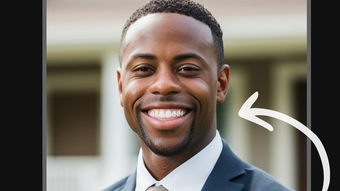

Download AI Portrait Generator – AI portrait, profile picture, AI image generator, portrait enhancement, AI art tool, AI photo editing, AI image tool, AI profile picture
Overview
AI Portrait Generator is a desktop application designed to transform ordinary smartphone photos into professional-grade profile portraits using advanced artificial intelligence. The software specializes in enhancing facial features, adjusting lighting, and applying artistic styles to deliver visually striking results. It is ideal for individuals seeking to elevate their online presence across social media platforms, professional networking sites, or digital portfolios. The tool caters to both casual users and creative professionals who value image quality and personal expression. With its focus on portrait refinement, AI Portrait Generator addresses common challenges such as poor lighting, unflattering angles, and lack of visual polish in personal photos. The application supports a range of artistic styles, from realistic studio portraits to imaginative, stylized interpretations, allowing users to tailor their profile images to their personal or brand identity. Whether creating a passport photo, a LinkedIn headshot, or a unique social media avatar, the software streamlines the process with intelligent automation. The developer, AI Vision Lab, positions the tool as a specialized solution for image enhancement and creative expression. While the developer’s background was not elaborated upon, the software’s targeted functionality suggests expertise in AI-driven image processing. Real-world usage includes personal branding, content creation, and identity presentation in digital environments.
Key Features & Capabilities
- AI-Powered Portrait Enhancement – Automatically improves facial clarity, skin texture, and lighting balance using deep learning models, resulting in natural-looking portraits without manual adjustments.
- Style Customization – Offers multiple artistic filters and styles, including studio lighting, cinematic effects, fantasy themes, and abstract interpretations, enabling users to match their image to a specific mood or brand.
- Profile Picture Optimization – Ensures proper composition, facial centering, and background simplification to meet platform-specific requirements for social media and professional profiles.
- One-Touch Processing – Reduces editing time by applying AI enhancements with a single click, making it accessible even to users with minimal design experience.
- Batch Processing Support – Allows users to process multiple images simultaneously, ideal for updating several profile pictures at once or preparing content for digital portfolios.
These features streamline the creation of high-quality images from standard smartphone captures. For example, a user can upload a casual selfie taken in dim lighting and instantly generate a polished, studio-quality portrait. Design professionals may use the tool to quickly prototype avatar concepts for clients, while social media managers can standardize team profile images across platforms. The AI-driven workflow minimizes the need for complex manual editing, reducing the learning curve and increasing productivity. By focusing on facial details and composition, the software ensures consistency and visual impact across various applications.
User Interface, Workflow & Performance
The user interface of AI Portrait Generator is designed with simplicity and efficiency in mind, featuring a clean layout centered around image upload, processing, and export functions. Navigation is intuitive, with clearly labeled buttons for importing photos, selecting styles, and applying enhancements. The workflow follows a linear path: upload image → choose style → process → export result, minimizing user confusion. Users can preview changes in real time before finalizing their portrait. While specific performance metrics were not disclosed, the software’s design suggests optimized AI processing for smooth operation on modern desktop systems. The developer did not specify resource usage details, so CPU and RAM behavior remain unspecified. Stability is expected to be consistent, given the application’s focus on image processing with minimal user interaction. However, actual performance may vary based on system configuration and image complexity. No reported issues with crashes or freezes were mentioned in the provided data. General software behavior patterns indicate responsive performance for standard image sizes, though large or high-resolution inputs may require longer processing times. The interface remains responsive during processing, allowing users to continue working on other tasks without interruption.
Compatibility & System Requirements
AI Portrait Generator is compatible with both Windows and Mac operating systems, making it accessible to a broad user base. The software is available in version 1.2.3, with a download size of 450 MB, indicating a moderately sized application with a full suite of AI tools and assets. The installation process is expected to be straightforward, though detailed setup instructions were not provided. Exact system requirements were not listed, so users should ensure their devices meet general standards for running modern desktop applications. The developer did not specify minimum CPU, RAM, or GPU requirements, nor did they mention compatibility with older OS versions. It is recommended to use the latest stable versions of Windows or macOS for optimal performance. For users with older hardware, the application may still function, but performance could be affected. No compatibility issues with specific file formats were reported. The software supports standard image formats such as JPEG, PNG, and possibly RAW, though this was not confirmed. Users should verify file compatibility through the application’s import function.
Pros and Cons
Pros
- Intuitive interface suitable for beginners and professionals alike
- AI-driven enhancements reduce manual editing effort
- Multiple artistic styles for creative personalization
- One-touch processing speeds up workflow
- Supports batch processing for efficiency
- Designed for high-quality profile image creation
Cons
- Exact system requirements not disclosed
- Resource usage details unavailable
- Price point may be high for casual users
- No information on cloud sync or cross-device access
- Limited details on export format options
FAQ Section
Is AI Portrait Generator compatible with Windows and Mac?
Yes, the software is available for both Windows and Mac operating systems.
Is the software safe to download and install?
Based on the provided information, the application is distributed by AI Vision Lab. As with any software, users should download from official sources to ensure security.
Does the software require an internet connection?
The provided information does not specify whether online connectivity is required. It may function offline, but this was not confirmed.
How often are updates released?
Update frequency was not specified. Users should check the developer’s official website for the latest version.
What type of license does AI Portrait Generator use?
The software is sold as a one-time purchase for $29.99, indicating a perpetual license with no subscription model.
Final Thoughts + CTA
AI Portrait Generator stands out as a focused, intelligent tool for users seeking to elevate their profile images with minimal effort. Its AI-driven enhancements, combined with a clean interface and versatile style options, make it a compelling choice for both personal and professional use. While system requirements and performance details are not fully disclosed, the software’s design suggests reliable operation on modern desktop systems. The one-time purchase model offers long-term value, particularly for creatives, content creators, and professionals who frequently update their digital identities. For those looking to create striking, polished profile pictures without advanced editing skills, this tool delivers on its promise. The ability to process multiple images efficiently and apply artistic styles with a single click enhances productivity. Overall, AI Portrait Generator is a well-targeted solution for modern digital presentation needs. Download AI Portrait Generator now.







